Subtotal ₹0.00

Subscribe to out newsletter today to receive latest news administrate cost effective for tactical data.
Let’s Stay In Touch


Subscribe to out newsletter today to receive latest news administrate cost effective for tactical data.
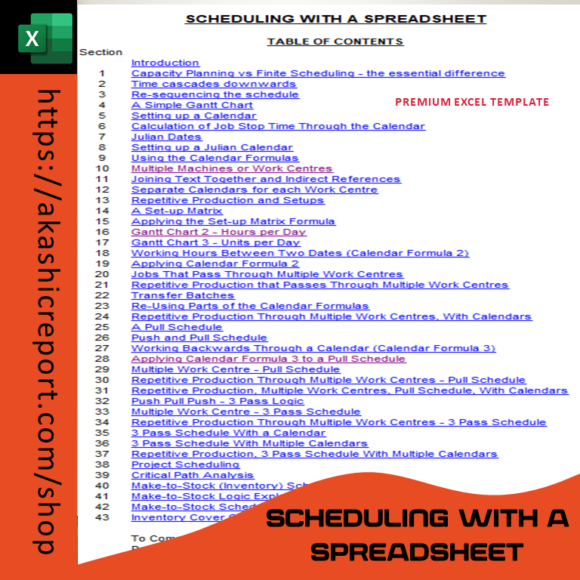
The Scheduling with Microsoft Excel Template is perfect for anyone who needs to keep track of appointments, tasks, and deadlines with ease. Offering a customizable, easy-to-navigate design, this template helps you organize your schedule and stay on top of your commitments. Whether you’re managing a busy workweek or just keeping track of personal events, this template will make your scheduling process smooth and efficient.
✅ Daily and Weekly Views – View and manage your time by day, week, or month for comprehensive scheduling.
✅ Customizable Time Blocks – Adapt the schedule to suit your needs, whether you have a few hours or full-day tasks.
✅ Color-Coded Entries – Visualize your tasks and appointments using color-coded blocks for quick and easy reference.
✅ Built-In Appointment Tracking – Keep track of meetings, events, and reminders all in one place.
✅ User-Friendly Interface – Simple layout makes it easy to start using right away without any complex setup.
The Scheduling with Microsoft Excel Template is your ultimate productivity companion, designed to help you achieve better time management and stay organized with ease. Say goodbye to cluttered calendars and missed appointments—start managing your time like a pro today!
Availability: In Stock
Scheduling with Microsoft Excel Template
Take control of your time with the Scheduling with Microsoft Excel Template. Designed to help you manage your day-to-day tasks, meetings, and appointments with ease, this template provides a flexible, user-friendly way to schedule your activities. Whether you’re planning your workweek, organizing a team, or simply keeping track of personal commitments, this Excel template makes scheduling effortless and efficient.
Stay organized, save time, and never miss an important task or meeting again with this comprehensive scheduling tool.